ROS 2 and Computer Vision Career Roadmap for Robotics Engineers
On this page
- Why this pairing is worth learning
- Start with Linux, Python and C++
- Learn the core of ROS 2 by running a robot in simulation
- Add computer vision fundamentals before deep learning
- Move on to deep learning perception
- Connect perception to planning and arms
- Build projects that show a working system
- Pick a career track
- A 12-month ROS 2 and computer vision career roadmap
- Where structured training can help
- Common questions
- Do I need to learn ROS 1 first?
- Which ROS 2 version should I install?
- Can I learn this without a physical robot?
- Is C++ mandatory?
- Start this week
ROS 2 and Computer Vision Career Roadmap for Robotics Engineers
In May 2026 the ROS community released Lyrical Luth, a long-term support version of ROS 2. The ROS 2 release list shows it receiving updates until May 2031. Skills built on it stay relevant for as long as that support lasts. This ROS 2 and computer vision career roadmap lays out what to study and in what order. It also shows what to build so a hiring manager can check your work.
Why this pairing is worth learning#
ROS 2 (Robot Operating System 2) is the open-source framework that lets the parts of a robot talk to each other. A camera driver, a path planner and a motor controller each run as separate programs called nodes. They pass messages over named channels called topics. Computer vision gives those programs something to react to, because it turns raw camera pixels into objects, distances and positions.
The pairing shows up in skills lists for the field. One 2026 skills guide for robotics engineers names ROS 2, Python, C++ and OpenCV-based computer vision first. Motion planning, control systems and sensor integration follow. This guide covers those skills in a practical order and adds deep learning once the basics hold.
Start with Linux, Python and C++#
Most ROS 2 tutorials assume Ubuntu, so begin there. Practise the terminal, file permissions, package installs, environment variables and git until they feel routine. A shaky command line slows every later step.
Python is the quickest way to prototype a node and to work with OpenCV and deep learning libraries. C++ matters when a node must run fast, such as a controller that has to respond within a few milliseconds. Go deep on Python first and learn C++ alongside it. If you prefer guided practice, Expertzlab's Python training in Kochi is one route.
Add some mathematics to your study plan early on. Linear algebra (vectors, matrices and rotations) and basic probability appear in every robot. Switching between coordinate frames, for example, is matrix multiplication in disguise.
Learn the core of ROS 2 by running a robot in simulation#
Pick a long-term support release for your learning path. Lyrical Luth runs until May 2031 and Jazzy Jalisco until May 2029. Humble Hawksbill reaches end of life in May 2027, so avoid starting a new project on it. Odd-year releases such as Kilted Kaiju are supported for only about eighteen months. Jazzy targets Ubuntu 24.04 (Noble), and Lyrical targets the newer Ubuntu LTS (Resolute).
Learn the concepts in this order:
- Nodes, topics and parameters, which cover most beginner programs
- Services for one-off requests, and actions for long jobs such as "drive to this point" that report progress
- Launch files, which start many nodes with one command
- tf2 (the library that tracks coordinate frames) and URDF (the file format that describes a robot's body)
Then put it all on a simulated robot, using Gazebo, an open-source robot simulator. A TurtleBot 3 is a common first choice, and the Nav2 documentation includes a tutorial for it. You are ready to move on when you can write a node from scratch. It should subscribe to a topic, publish a result and start from a launch file.
Add computer vision fundamentals before deep learning#
Computer vision for robotics starts with ideas that predate neural networks. Learn how images are stored, how colour spaces work, and how filtering finds edges and corners. Then study the pinhole camera model, which explains how a point in the world lands on a pixel. OpenCV, a widely used open-source image library, covers all of this.
ROS 2 has packages that connect the two worlds. The cv_bridge package converts between ROS image messages and OpenCV images, and image_transport can compress image streams to save bandwidth. The camera_calibration package has tutorials for monocular and stereo cameras. Calibration matters because turning pixels into real directions and distances depends on it.
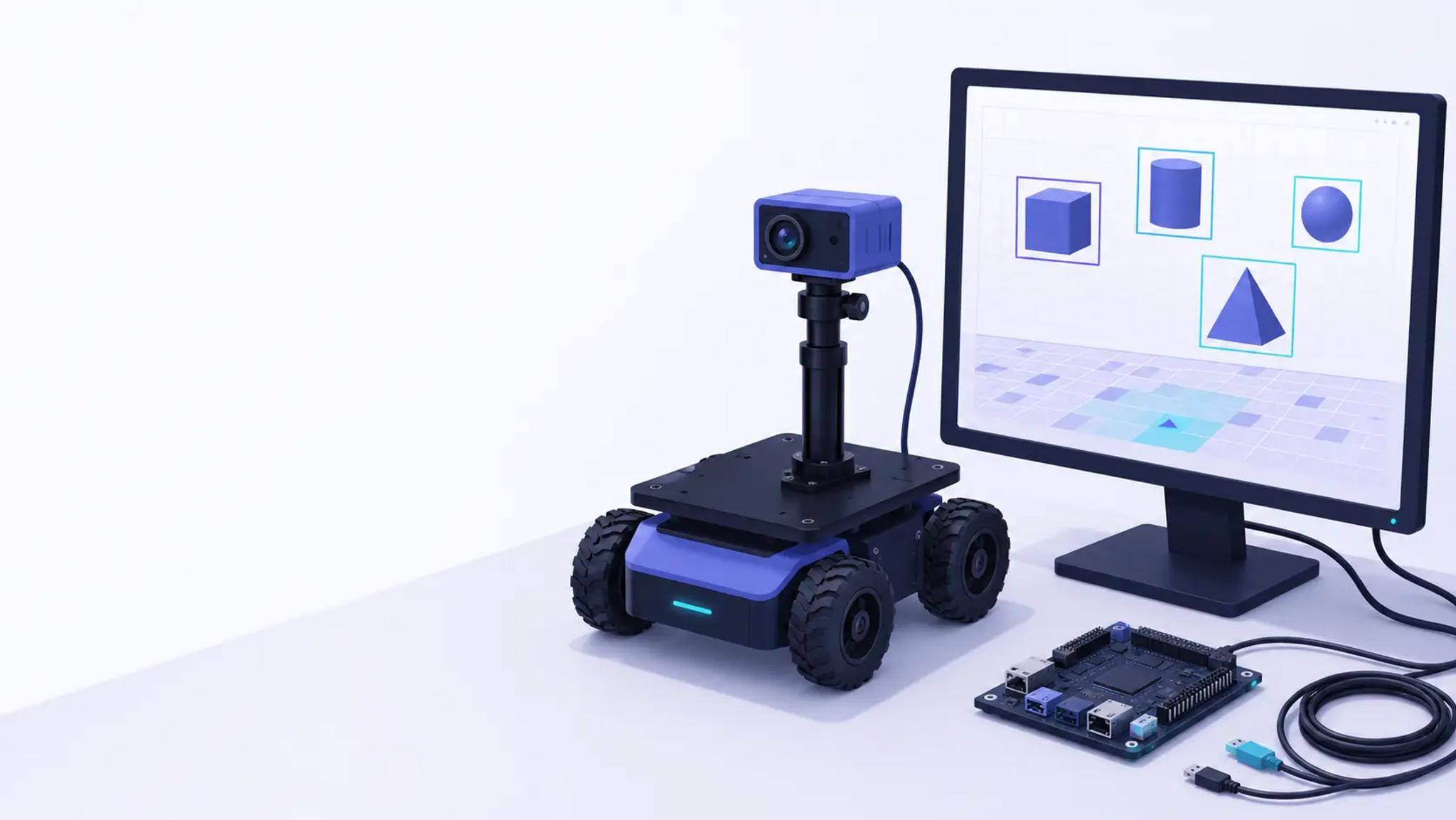
A good first exercise is small. Write a node that subscribes to a webcam topic, finds a coloured marker with OpenCV and publishes its pixel position. Then use your calibration data to turn that position into a direction the robot could turn toward.
Move on to deep learning perception#
Simple filters fail when lighting changes or objects look different. That is where learned models help. Know the common tasks in plain terms. Classification names what is in an image, and detection draws boxes around objects. Segmentation labels every pixel, while pose estimation finds an object's position and orientation.
Fine-tune a small detection model in PyTorch and export it to ONNX, a portable model format. Then wrap it in a ROS 2 node. Measure frame rate and latency, because a model that is accurate but slow cannot guide a moving robot.
If you have an NVIDIA GPU or a Jetson board, the Isaac ROS packages offer GPU-accelerated object detection, pose estimation and image processing. The Isaac for Manipulation documentation lists them. Learn the CPU route first so you understand the bottleneck these packages remove.
Test on messy data as well. The same documentation warns that cameras such as the RealSense D455 can return inaccurate depth on shiny surfaces. Many workplaces are full of such surfaces.
Connect perception to planning and arms#
Perception becomes useful when it drives action. Nav2 is the professionally supported successor to the original ROS navigation stack, built for mobile robots that plan routes and avoid obstacles. Pair it with SLAM (simultaneous localisation and mapping), which lets a robot build a map while tracking where it sits inside that map.
The two skills meet in camera-based driving. The Nav2 documentation even lists a tutorial on camera-only operation with Isaac ROS, so a robot can work without a lidar sensor.
For robot arms, MoveIt 2 plans collision-free motion. Combine it with an object detector and you have a pick-and-place demo, which is the classic proof that vision and motion planning work together.
Pair the software work with some electronics. Reading a sensor over a serial link such as I2C or UART shows you what a ROS 2 driver node actually wraps. Courses such as IoT and embedded software training are a route into that hardware side.
Build projects that show a working system#
Depth beats breadth in a portfolio. One system you can explain from camera to motor is more persuasive than ten tutorials you followed. Aim for three projects of rising difficulty:
- A colour or line follower in simulation. It shows you can combine a vision node with a motion command.
- Autonomous route following with obstacle detection. It shows you can tune Nav2 and handle failures.
- A pick-and-place or inspection task with a trained detector. It shows you can ship a model inside a real pipeline.
For each one, publish a repository with a launch file that starts everything, a short README with an architecture sketch, and a two-minute demo video. Freshers who worry about experience can also read our guide to getting an IT job without experience.
Pick a career track#
Titles vary by company, so read the responsibilities rather than the title. These four directions cover most openings you are likely to meet:
- Perception engineer. Builds detection, segmentation and depth pipelines, and cares most about data quality and model speed.
- Robotics software engineer. Writes the nodes, interfaces and tooling that hold a robot together, usually in C++ and Python.
- Autonomy or path planning engineer. Works on mapping, localisation and planning, so Nav2 and SLAM sit at the centre.
- Deployment and integration engineer. Gets a system running on real hardware at a customer site and fixes whatever breaks.
You do not need to choose in month one. Your projects will show which kind of problem you enjoy most.
A 12-month ROS 2 and computer vision career roadmap#
The plan below assumes about ten hours of study a week. Adjust the pace to your schedule, but keep the order.
- Months 1 to 2: Linux, git, Python, basic C++ and linear algebra. You should be able to show small command-line tools in a public repository.
- Months 3 to 4: ROS 2 core concepts, URDF, tf2 and Gazebo. You should be able to show a simulated robot that responds to sensor input.
- Months 5 to 6: OpenCV and camera calibration. You should be able to show a node that tracks an object using a calibrated camera.
- Months 7 to 8: deep learning perception. You should be able to show a detection model running inside a ROS 2 node.
- Months 9 to 10: Nav2 and SLAM. You should be able to show a robot that maps a room and reaches goals while avoiding obstacles.
- Months 11 to 12: an integration project and your portfolio. You should be able to show one end-to-end system with a demo video and write-up.
Where structured training can help#
Self-study works, but a structured programme adds mentors, lab time and deadlines. Expertzlab's AI and Robotics advanced certification page has the current course details, so compare them with the roadmap above.
[FLAG: Writer input needed] Intent: Add one or two sentences on how Expertzlab's robotics course teaches ROS 2 and computer vision. Problem: No syllabus, lab or trainer details were supplied, so none are claimed here. What would help: Syllabus topics, robots or cameras used in labs, and one example student project.
Common questions#
Do I need to learn ROS 1 first?
No, ROS 2 is the place to start. Older tutorials written for ROS 1 can still explain the ideas, but commands and some package names differ, so expect to translate them.
Which ROS 2 version should I install?
Choose a long-term support release, either Lyrical Luth or Jazzy Jalisco. Match the version to the Ubuntu release it targets, because each ROS 2 release is built for specific Ubuntu versions.
Can I learn this without a physical robot?
Yes. Gazebo simulation and a basic USB webcam cover most of the first eight months of the plan. Buy hardware only when a project needs it.
Is C++ mandatory?
Not when you are starting out. Python is enough for early ROS 2 work and most perception prototypes. C++ becomes important for performance-critical nodes, and job listings often ask for it.
Start this week#
Each stage of this path leaves you with something you can show. Open a terminal, get one simulated robot moving, and add vision once the ROS 2 basics feel comfortable. By the time you reach navigation, the earlier projects will already be in your portfolio.
Master Data Science, Machine Learning & Generative AI
Learn from industry architects with hands-on capstone projects, real-world datasets, and official IIT certification.

Expertzlab Team
Senior Technical Architect with 25+ years of industry experience across enterprise architecture, AI, Big Data, and Full Stack development. Mentor and founder at Expertzlab.
Want the full curriculum & fee structure for Data Science with Generative AI?
Includes module-by-module breakdown, project capstones & placement roadmap.
Related Tech & Career Guides
 Web Applications
How to Build RAG Applications Using the MERN Stack and Next.js
Learn how to build RAG applications using the MERN stack and Next.js. Chunk, embed, store vectors in MongoDB Atlas, retrieve and stream answers, step by step.
 Data Science
What Is MLOps and Why It Matters for Data Science Jobs
What is MLOps? See how the lifecycle works and why deployment skills now matter for data science jobs in India. A plain-language guide from Expertzlab.
 Data Science
How Generative AI Is Used in Data Analytics Workflows
See how generative AI in data analytics helps with cleaning, SQL, code and reporting, and where a human must still check the output. A practical guide.
Have Any Questions? Talk to an Advisor
Our expert career advisors are available 6 days a week to help you choose the perfect certification program and guide your tech career journey.